
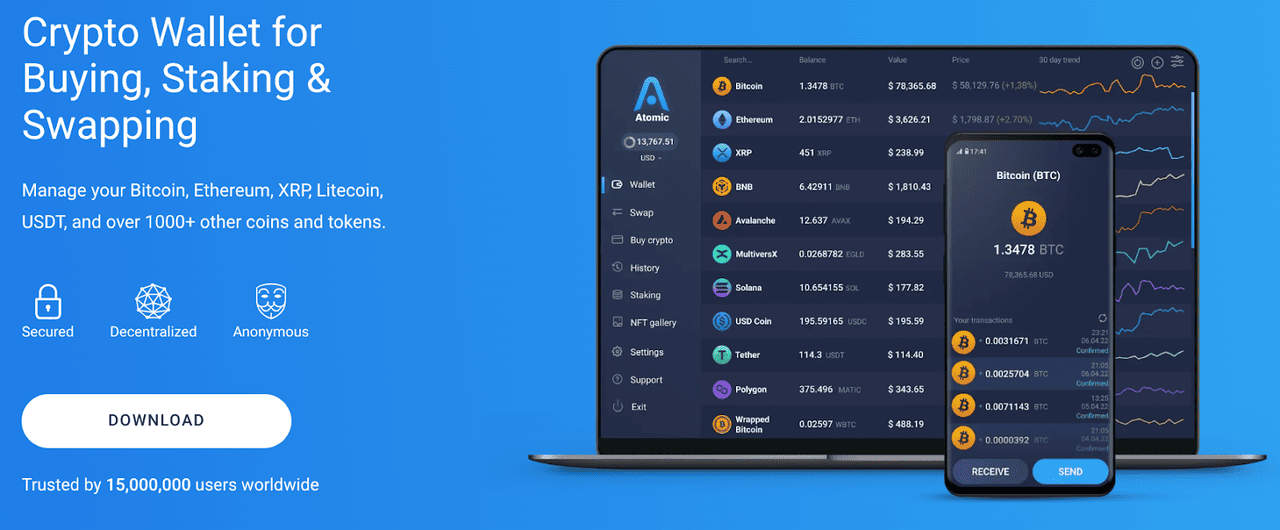
Atomic Wallet has become one of the most widely used non-custodial cryptocurrency wallets in the retail market, operating as a multi chain portfolio manager that supports more than 1,400 digital assets and processes millions of user actions each month. It supports multiple recovery seed phrase lengths and works with 1000s of cryptocurrencies, including Bitcoin (BTC), Ethereum (ETH), Litecoin (LTC), Cardano (ADA), Dogecoin (DOGE), Polygon (POL), Tether (USDT), and USD Coin (USDC).
Source: AtomicWallet
In 2024, the Atomic Wallet app consistently recorded more than 3.5 million monthly active users across desktop and mobile, with a total historical download count exceeding 6 million installations by late 2024. The ecosystem handles an average of 42,000 daily swaps through its integrated exchange aggregator while tracking portfolio valuations that collectively surpass $8.3B in combined user held assets at peak market periods.
As adoption of decentralized self custody rises, the demand for wallets that combine layered security, multi chain flexibility, and intuitive asset management has expanded significantly, and Atomic Wallet positions itself as a central entry point for users who want to control cryptocurrency without relying on centralized custodians. This guide explains what Atomic Wallet is, how it works at a technical level, how to set it up on desktop, mobile, and its Web3 version, and how it connects to ecosystems such as Pi Network and Monad while also addressing support for Monad staking.
What Is Atomic Wallet?
Source: AtomicWallet via Apple App Store
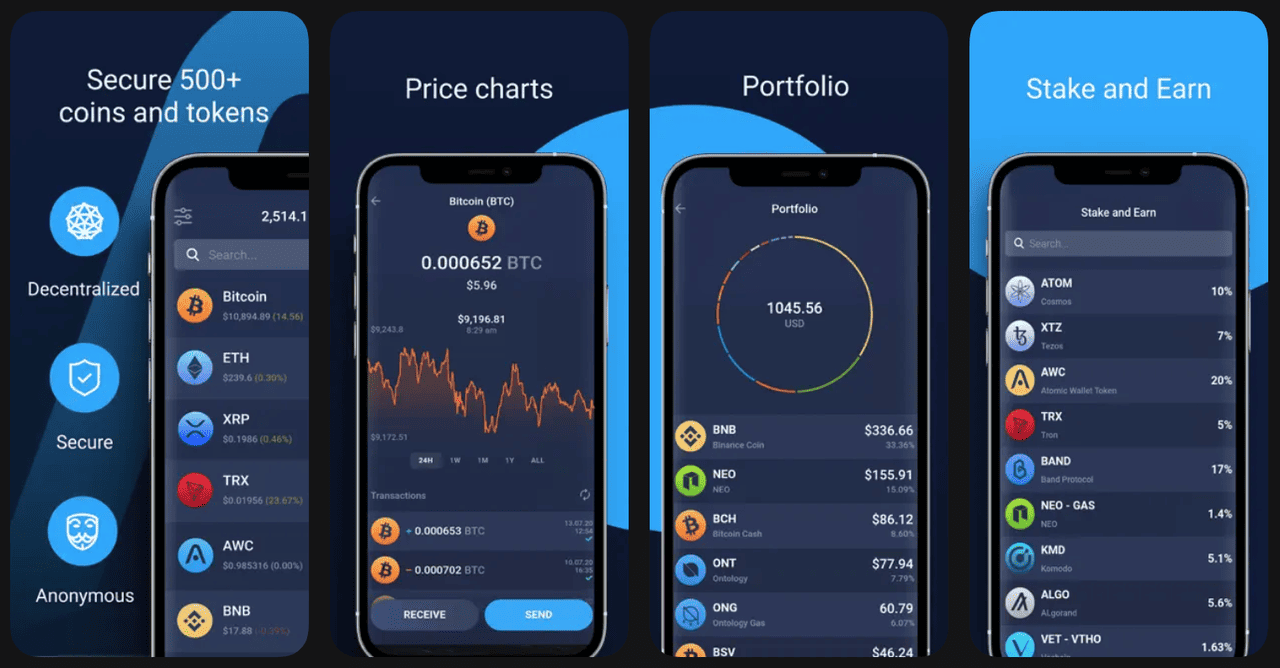
Atomic Wallet is a decentralized, non custodial cryptocurrency wallet launched in March 2018 by Konstantin Gladych, who is also known for co-founding Changelly. The platform was designed as a cross chain asset manager that removes reliance on central servers by allowing users to store private keys locally using AES 256 encryption combined with PBKDF2 key stretching, which increases resistance against brute force attempts by raising computational difficulty. Since 2018, the application has expanded to support more than 1,400 cryptocurrencies across major networks including Bitcoin, Ethereum, Solana, BNB Chain, Tron, Avalanche, Polygon, and various smaller layer one networks. In 2023, Atomic Wallet recorded more than 5.2 million total users and maintained an average retention rate greater than 38%, which is notably higher than the industry average retention rate of 22% for multi asset wallets.
By mid 2024, the application hosted more than 13 million on chain address connections initiated through the wallet interface each month, reflecting intensive global usage. Its built-in exchange system aggregates liquidity from third party providers and routinely handles more than 1.2 billion dollars in annual retail swap volume. The system also incorporates staking functionality for multiple proof of stake networks and by early 2025 more than 680,000 users had participated in staking through the wallet. Atomic Wallet is known for its ability to operate offline when not performing network transactions, its decentralized infrastructure that avoids centralized logins, and its internal architecture that communicates with blockchains through distributed nodes rather than a single centralized endpoint. This combination of security architecture, broad asset support, and high user volume positions Atomic Wallet as a central tool within the consumer access layer of the cryptocurrency ecosystem.
Read more: What Is a Web3 Wallet and Does It Work?
How Does Atomic Wallet Work?
Atomic Wallet is a non-custodial, multi-chain wallet that stores all private keys locally on the user’s device and signs every transaction offline, ensuring keys never leave the device. When a transaction is created, the app assembles and signs it using a 12- or 24-word seed phrase, then broadcasts the signed data to the network through distributed nodes.
The wallet supports more than 50 blockchains and indexes over 1,400 tokens, enabling users to store, send, receive, and track a wide range of assets in one interface. Its built-in swap aggregator connects to multiple liquidity providers, processing tens of thousands of daily swaps with typical execution times of 5–30 seconds.
Users can stake assets such as ADA, ATOM, DOT, and XTZ, earning yields that generally range from 3% to 14%, depending on network validators. The app also offers portfolio analytics with over 300,000 daily price data points, selective NFT viewing, cross-chain routing for certain wrapped assets, and watch-only tracking.
Together, these features make Atomic Wallet an all-in-one self-custody platform for users who want multi-chain asset management, swapping, and staking without relying on exchanges.
How to Set Up Atomic Wallet on Desktop: Step-by-Step Guide
Here’s how to install, secure, and start using Atomic Wallet on your desktop in just a few quick steps.
1. Download Atomic Wallet Desktop
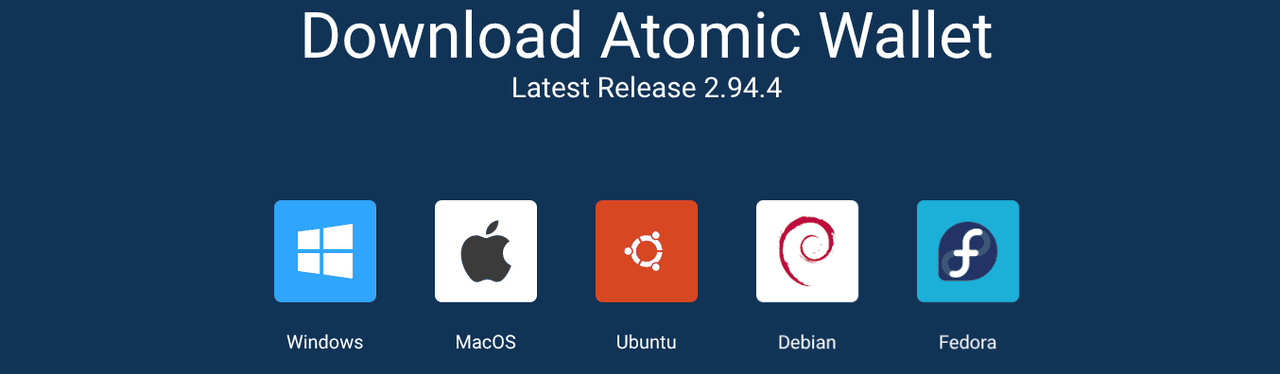
Navigate to the official application homepage and download the version for Windows, macOS, or Linux, ensuring the file you download matches the checksum shown on the download page.
Source: AtomicWallet
2. Install the Application
Run the installer and follow the on screen prompts until the installation completes and the application launches.

Source: AtomicWallet
3. Create a New Wallet
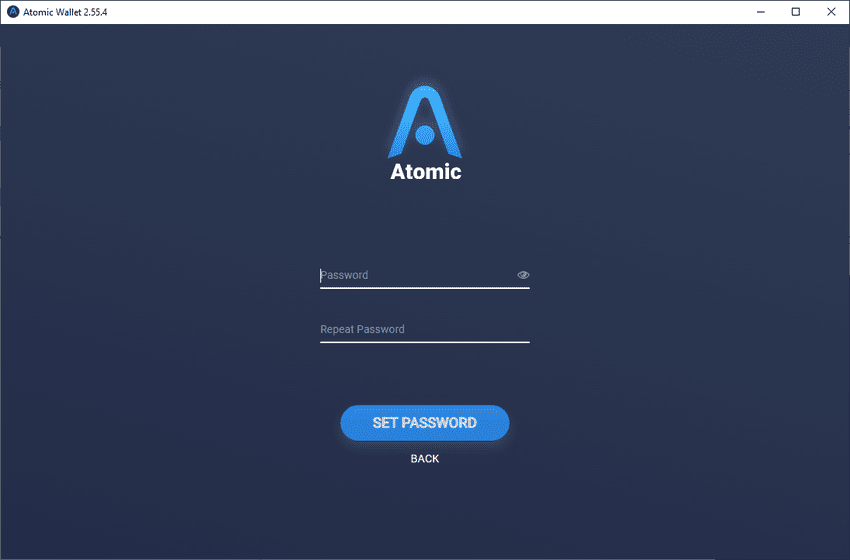
Select the Create Wallet option and choose a secure password that will be required to unlock your wallet on the device.
Source: AtomicWallet
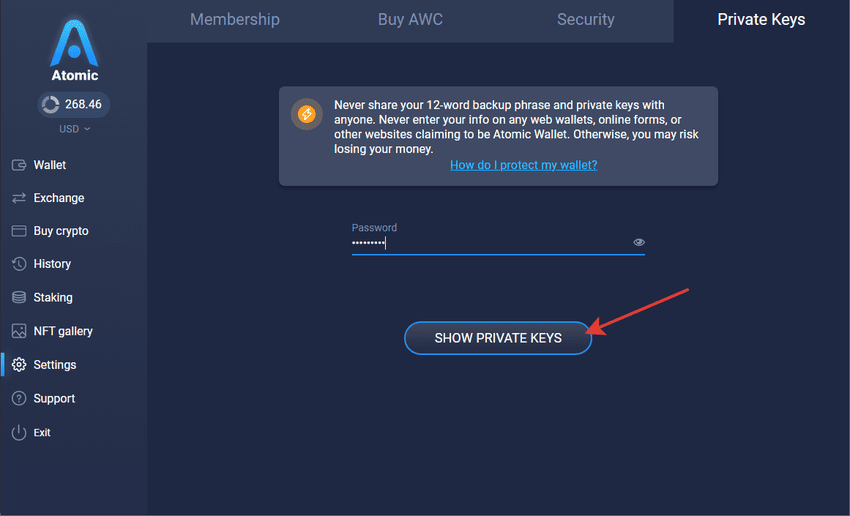
4. Save Your Recovery Phrase
Write down the 12 word recovery phrase shown on the screen and store it offline because this phrase controls all asset recovery and cannot be reset by Atomic Wallet.
Source: AtomicWallet
5. Confirm the Phrase
Re enter selected words from the phrase to confirm that you stored it correctly.

Source: AtomicWallet
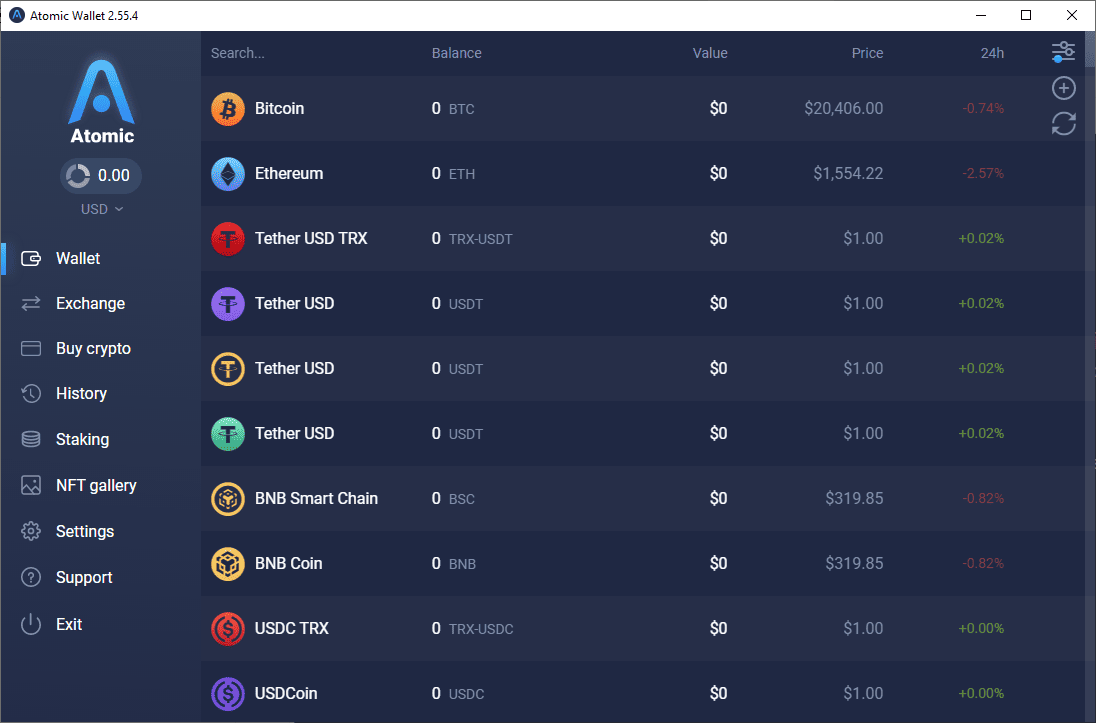
6. Access the Dashboard
Once confirmed, the main dashboard loads and displays your default asset list along with balances and wallet functions.
Source: AtomicWallet
How to Set Up Atomic Wallet on the App: Beginner's Guide
Here’s a simple walkthrough to help you download, install, and set up the Atomic Wallet mobile app on your phone in minutes.
1. Install the Mobile App
Download Atomic Wallet from the iOS App Store or Google Play Store by searching for Atomic Wallet and selecting the official listing.

Source: AtomicWallet
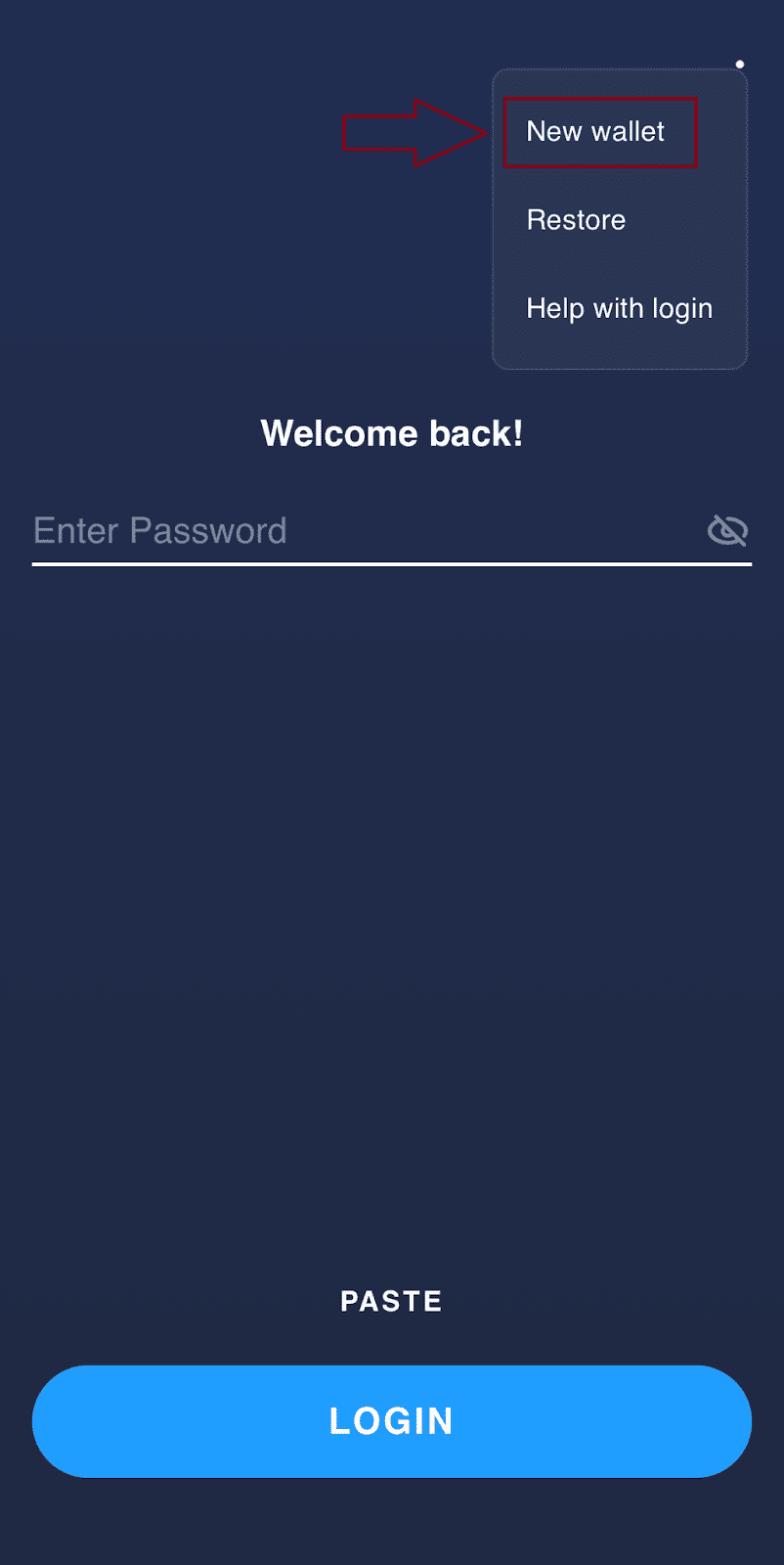
2. Create a Wallet
Open the application and tap Create New Wallet then set a secure passcode and optionally enable biometric login.
Source: AtomicWallet
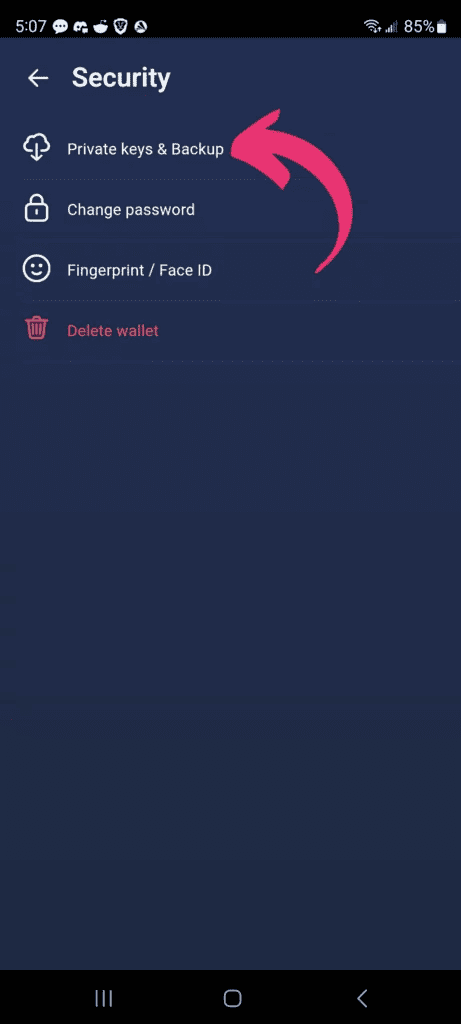
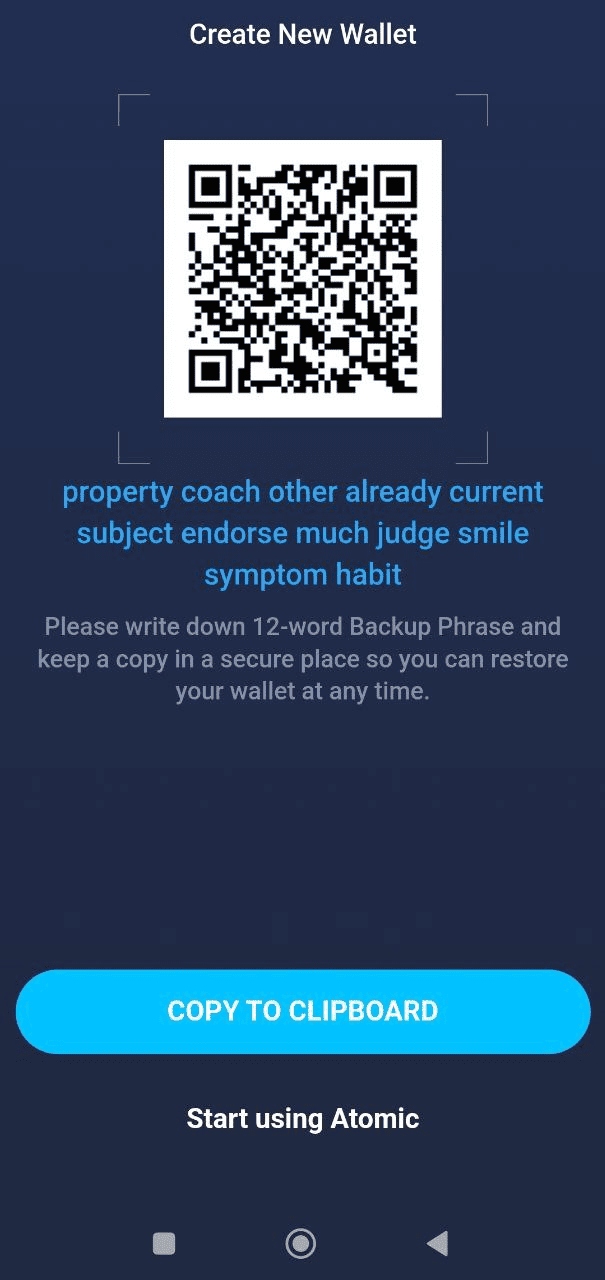
3. Store Your Recovery Phrase
Record the 12 word recovery phrase displayed on the screen and store it securely offline.
Source: AtomicWallet
4. Confirm the Phrase
Complete the phrase verification process by selecting the correct sequence of words.
Source: AtomicWallet
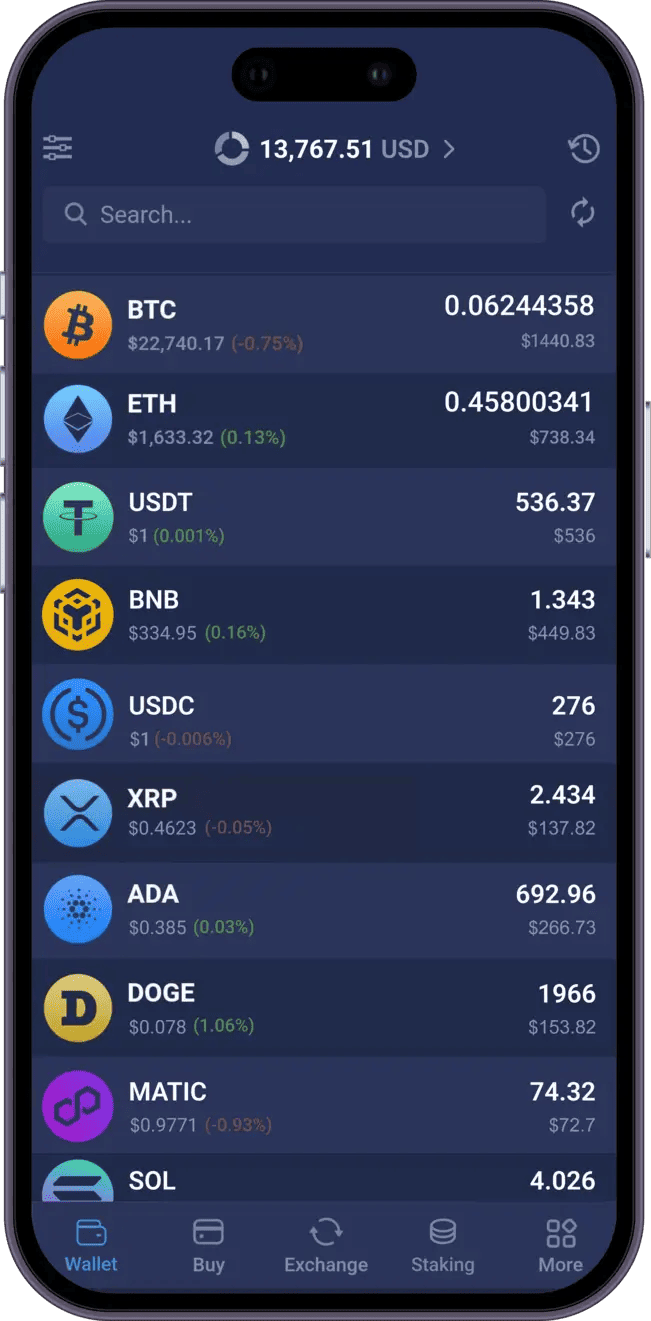
5. Begin Using the Wallet
After confirmation you will enter the home screen which displays all assets and wallet features.
Source: AtomicWallet
How to Set Up Web3 Atomic Wallet Extension: Step-by-Step Guide
This guide shows you how to install and configure the Atomic Wallet Web3 browser extension so you can securely interact with dApps and manage assets directly from your browser.
1. Open the Atomic Web3 Wallet Extension Page
Access the Web3 version through the official Atomic Wallet site and select the option to launch the browser based interface.

Source: AtomicWallet
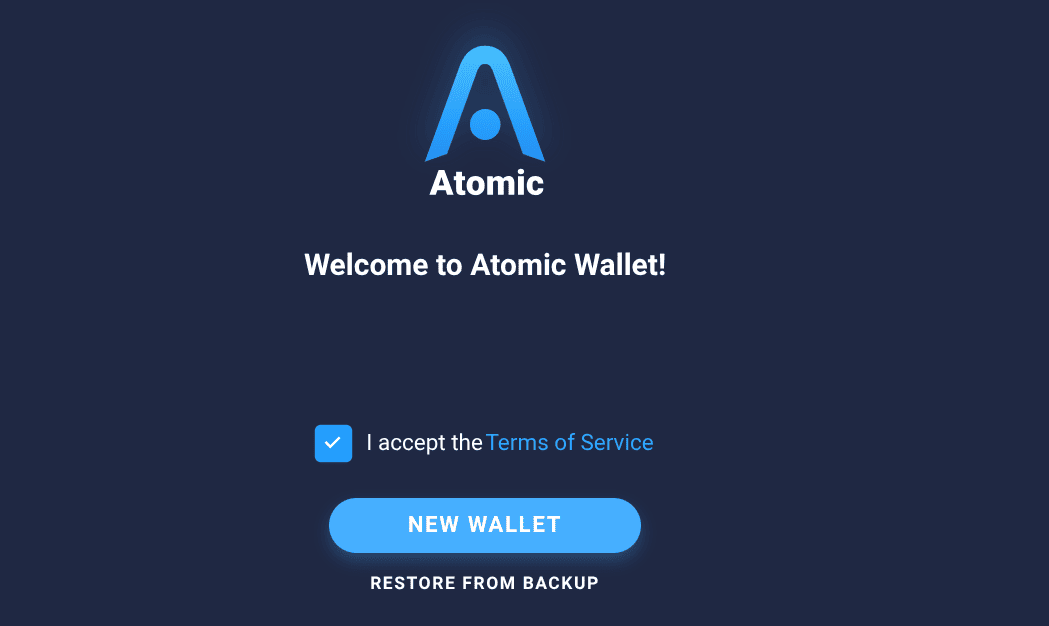
2. Create or Import a Wallet
Choose whether to create a new wallet with a fresh recovery phrase or import an existing wallet using your current phrase.
Source: AtomicWallet
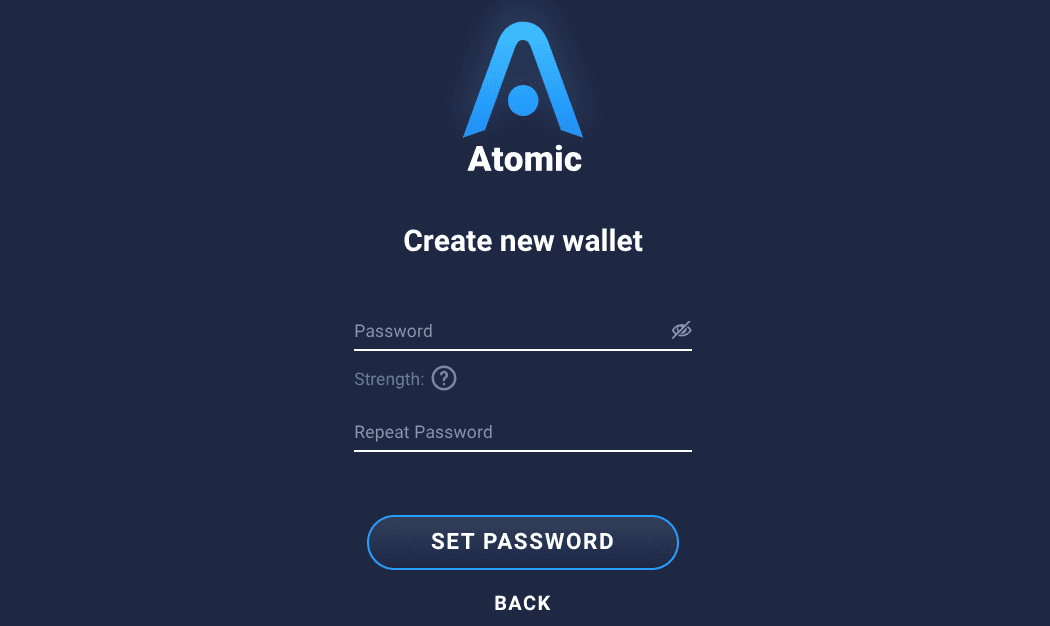
3. Secure the Session
Set a password that encrypts your session locally in the browser.
Source: AtomicWallet
4. Complete Initialization
Once the interface loads, you can connect to supported Web3 applications through the integrated wallet connector.

Source: AtomicWallet
How to Fund Your Atomic Wallet via BingX
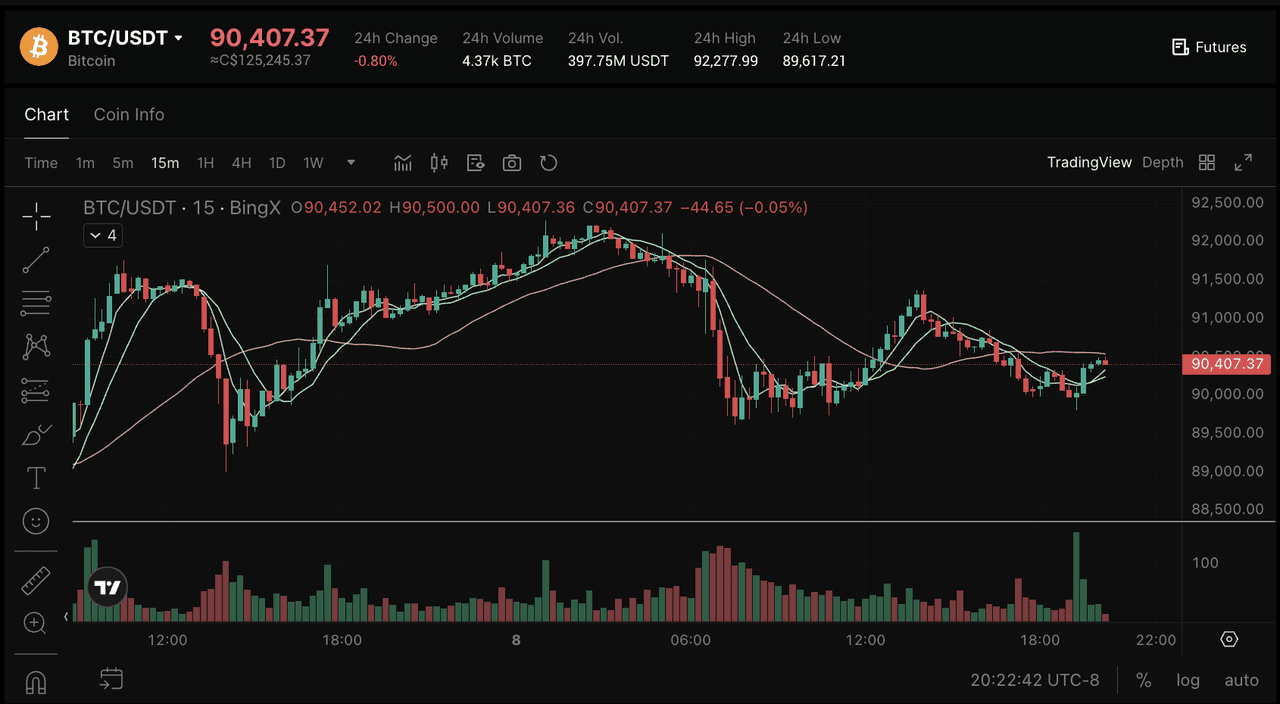
Source: BTC/USDT on the BingX spot market
Funding your Atomic wallet app is simple with BingX. Buy crypto on the BingX spot market, choose your trading pair (for example, BTC/USDT), then transfer it to your Atomic wallet. Once your purchase is complete, open Atomic, select the crypto account you want to fund, and copy your receiving address. Paste this address into BingX's withdrawal page, confirm the transaction, and your funds will appear in your Atomic wallet after network confirmation.
BingX offers low trading fees, high liquidity, and real-time pricing, supported by BingX AI tools for smarter trading decisions. BingX's user-friendly interface and secure platform make it easy for new and experienced users to transfer assets into self-custody wallets like Atomic.
Does Atomic Wallet Support Monad Staking?
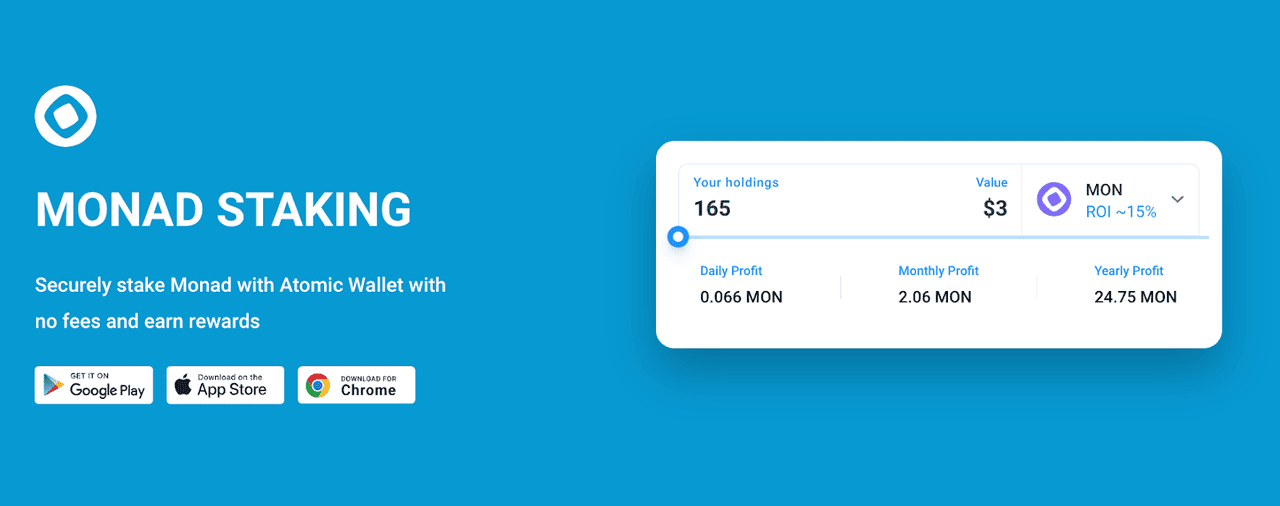
Source: AtomicWallet
Atomic Wallet supports native MON staking with a quick, self-custody delegation flow: deposit or buy MON, choose a validator in the staking tab, and delegate instantly while private keys remain stored locally. Monad’s short 5.5-hour epochs distribute rewards based on validator uptime and accuracy, producing an estimated 15% annual reward rate shown in-app, with rewards accruing in real time and claimable at any moment. Unstaking requires only one epoch (about 5.5–6 hours) before tokens become liquid again.
Atomic Wallet displays key network metrics such as total delegated MON, validator commissions, and staking participation, which exceeded 35% of circulating supply in early 2025, and it has supported promotional events like awarding 30 native tokens per 1,000 MON staked per month. As a fully integrated MON wallet, Atomic also lets users store, track, and swap MON alongside 1,400+ other assets across desktop, mobile, and the Web3 extension using its non-custodial encryption system.
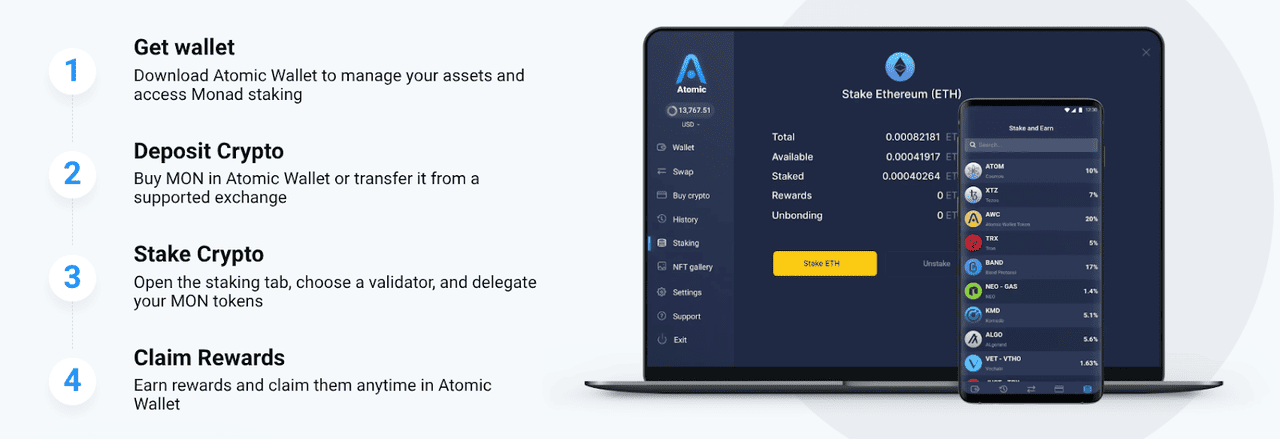
Source: AtomicWallet
Read more: How to Connect Monad (MON) to MetaMask
Conclusion
Atomic Wallet has become one of the most widely used non-custodial wallets, supporting 1,400+ assets, native staking, and local key control across desktop, mobile, and Web3 environments. Its integration of high-throughput networks like Monad, with ~15% advertised yields and ~6-hour unbonding, reflects a focus on ecosystems with stable infrastructure and transparent validator models. With several million monthly active users by late 2024 and continued growth through 2025, the wallet remains positioned to expand support for new networks that meet its security and technical standards. However, as with any crypto wallet, users should stay alert, protect seed phrases, avoid phishing links, and understand the risks of managing assets in decentralized environments.